
AI Property Handover Platform for Residential Developers: Coordinate Operational Readiness from Project Completion to Occupancy

Get a summary of this article with your favorite AI





AI Summary
- •Centralize handover workflows: An AI property handover platform for residential developers tracks checklists, responsibilities, deadlines, approvals, and project status.
- •Track closeout documentation: AI handover management organizes punch lists, as-built drawings, manuals, warranties, permits, and test records.
- •Verify operational readiness: A residential property operational readiness system tracks commissioning evidence, occupancy approvals, missing documents, and unresolved defects.
- •Coordinate post-handover operations: An AI property transition management platform connects asset records, warranty claims, contractor follow-ups, and property management.
- •Assess integration and ROI: Compare system compatibility, deployment needs, and measurable outcomes. Svermo’s voice and tenant AI products illustrate its work across related real estate workflows.
A contractor uploads an O&M manual. The commissioning report is marked complete. A punch list item is closed in the project system. None of those updates, on its own, proves that the relevant building, unit, or asset is ready for handover.
An AI property handover platform for residential developers in USA brings these moving parts into one workflow. It tracks closeout documents against project requirements, flags missing or unverified records, links defects to the contractors responsible, and shows which items are still holding up handover. Instead of treating an uploaded file or a closed task as proof of completion, it ties each requirement to its evidence and sign-off status.
A residential property operational readiness system gives developers a clear view of what's ready, what's still outstanding, and who owns the next action across buildings and projects.
Svermo offering AI for real estate in USA focused on everyday operations. Its approach to connected workflows is relevant to handover, where information needs to move from the construction team into property operations without getting lost across separate systems.
Is your handover complete, or just marked complete?
Bring documents, defects, and approvals into one clearer handover workflow.
How Does an AI Property Handover Platform for Residential Developers Coordinate Construction Closeout and Operational Readiness?
An AI property handover platform for residential developers brings closeout checklists, contractor deliverables, approvals, and outstanding tasks into one shared workflow. It tracks each requirement from submission through review and sign-off, giving the development team a clear view of what is complete, what remains open, and what is holding up the handover to property operations.
Centralizing Handover Checklists, Deliverables, and Approvals
n its own handover requirements. The platform organizes these requirements in one place, linking every item to the relevant building, unit, asset, contractor, and approval status.
For example, a residential tower's closeout checklist might include:
- As-built drawings for electrical, plumbing, and mechanical systems
- Operation and maintenance (O&M) manuals for installed equipment
- Commissioning reports and inspection records
- Fire safety certificates and other required approvals
- Final punch list items and contractor sign-offs
- Asset registers and warranty information
Now you must be asking, “Can AI keep one handover checklist for each project and show which items are complete, open, or missing?”
Rather than storing these as disconnected files and spreadsheets, the system links each deliverable to its requirement and review status. The team sees whether a document is missing, awaiting review, rejected for correction, or accepted. Document uploads and final approvals remain separate steps, so submitting a file does not automatically mark a requirement complete.
Tracking Responsibilities, Deadlines, and Outstanding Actions
Every open handover item needs a named owner, a due date, and a clear next action. The platform tracks these details against the relevant contractor, consultant, or internal team and flags overdue work.
Consider a lift commissioning report that has not been approved. The record identifies the lift contractor as the responsible party, shows the submission deadline, records the review status, and keeps follow-up actions attached to the same item. If the consultant requests corrections, the outstanding action stays open until the revised report is reviewed and accepted.
This gives the project manager a practical view of accountability without piecing together updates from email threads, meeting minutes, and separate task trackers.
Identifying Missing Information and Routing Follow-Ups
An AI handover management platform for residential developers checks submitted records against the project's defined closeout requirements and flags missing information for review.
For instance, an asset register might list a generator without its model number, serial number, warranty details, or linked O&M manual. The system flags the incomplete record and routes the missing information to the assigned owner. Document extraction also capture relevant details from uploaded files and compare them with the required fields, with human review for uncertain or conflicting information.
Comparing Readiness Across Multiple Residential Projects
For developers managing several towers, phases, or sites, an AI operations platform for multifamily operations directors brings project-level handover status into a single view. Teams can compare completion rates, overdue deliverables, unresolved defects, and outstanding approvals without manually combining separate project reports.
Developers managing several residential projects often ask questions like this:
“We have several projects moving from completion to occupancy at the same time, and when I ask where one stands, the answer is usually that it is almost ready, which tells me nothing about what is actually missing. Is there a way for AI to show what is complete, open, or missing for each project against the same handover checklist?”
AI applys shared checklist criteria across projects and show complete, open, and missing requirements by project or phase. Teams can then identify outstanding approvals, documents, and defects without manually combining reports.
| Project or phase | Open items | Main blocker | Next action |
|---|---|---|---|
Tower A | 12 | Missing commissioning records | MEP contractor to submit reports |
Tower B | 7 | Asset register corrections | Update equipment details |
Tower C | 19 | Outstanding defect sign-offs | Contractors to complete inspections |
Illustrative example only.
An AI portfolio property operations platform can help development managers distinguish projects with a few routine closeout tasks from those with unresolved items affecting operational acceptance. It also reveals recurring delays, such as the same contractor repeatedly submitting incomplete records or the same document type holding up several phases.
How Can AI Handover Management for Residential Developers Coordinate Punch Lists and Closeout Documents?

AI handover management for residential developers connects defect tracking with closeout document checks, so the team tracks both the physical work and the records required for handover. Each item has a status, a responsible party, and a clear record of what remains before sign-off.
Assigning and Tracking Punch List Items Through Verified Closure
A contractor marking a defect as fixed is not the same as the project team verifying the repair. The workflow needs to track both steps.
For each punch list item, the system records the location, defect description, photos, assigned contractor, due date, and repair status. Once the contractor reports completion, the item moves to inspection or verification. It closes only after the required sign-off is recorded.
But can AI track punch list items to completion and show who is responsible for each one? It can support this workflow by tracking ownership, progress, and verification status, so a reported repair is not mistaken for a verified fix.
For example, a leak in Apartment 804 stays open until the repair has been inspected and accepted. This AI punch list tracking for residential projects gives the team a record of overdue repairs, failed inspections, and defects awaiting contractor action.
Tracking As-Built Drawings, Manuals, Warranties, Permits, and Test Records
AI closeout document tracking for residential developers organizes required records by document type, building, system, and asset. It tracks whether each record has been submitted, reviewed, approved, or returned for correction.
| Document | Key checks |
|---|---|
As-built drawings | Final revision and correct building system |
O&M manuals | Match with installed equipment |
Warranties | Covered asset, supplier, and warranty period |
Permits and certificates | Required approvals and validity details |
Test and commissioning reports | Recorded results and required sign-off |
You might also be asking, “Can AI collect as-built drawings, equipment manuals, warranties, and permits from contractors and flag what has not been delivered?”
AI document extraction identifies details such as equipment IDs, dates, and warranty terms. Missing information and mismatches are flagged for review. A document remains pending until the required checks are complete.
Linking Documents and Defects to Buildings, Units, and Assets
Every document and defect needs to point to the correct building, apartment, common area, or asset. Without that link, the property management team has to match records manually.
An AI property handover platform connects an asset's record with its O&M manual, commissioning report, warranty, and outstanding defects. For example, a basement ventilation fan has one linked record for its asset ID, location, supporting documents, and repair history. The operations team receives the records together rather than searching across separate folders and trackers.
Separating Occupancy Requirements from Outstanding Work
A missing required fire safety approval is different from a minor paint repair. The handover workflow needs to distinguish items that block occupancy or formal acceptance from routine work that remains open.
The AI operational readiness platform for residential projects tracks each item against the project's acceptance criteria and applicable approval requirements.
- Occupancy or acceptance blockers: Required approvals or critical readiness checks remain incomplete.
- Awaiting verification: A document, test result, or repair has been submitted but not yet accepted.
- Outstanding work: A remaining task has an assigned owner and due date.
- Ready for handover: Required checks and supporting evidence have been accepted, and sign-offs are recorded.
This classification keeps readiness reporting accurate. Developers see which requirements remain unresolved, while the property management team receives a record of accepted deliverables and any work still outstanding at handover.
How Can an AI Operational Readiness Platform for Residential Projects Verify Readiness Before Occupancy?
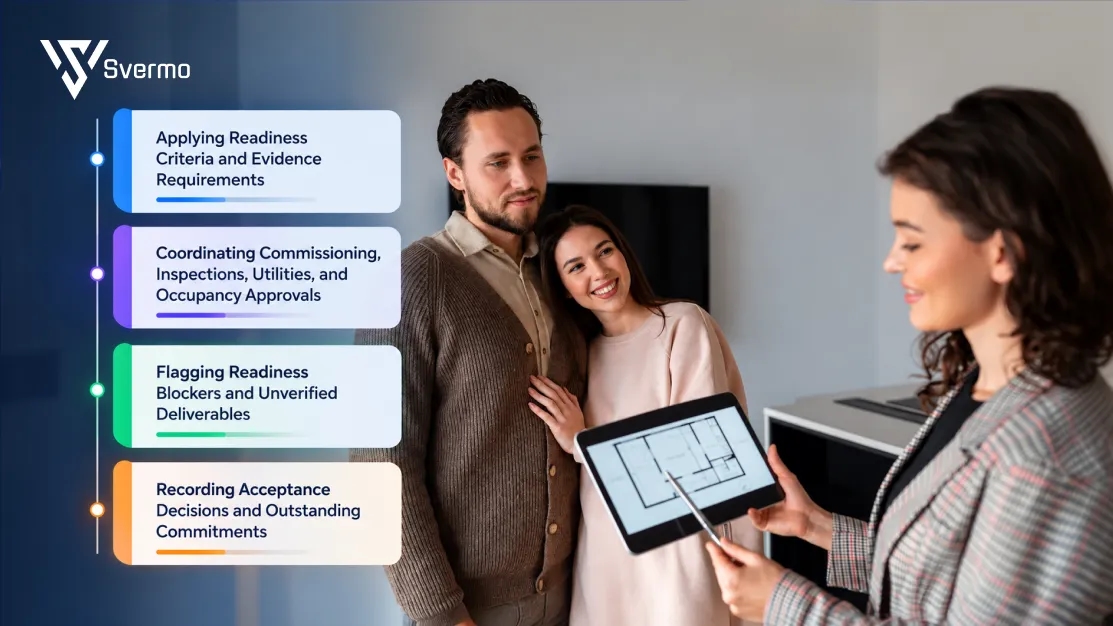
An AI operational readiness platform for residential projects checks handover records against the requirements set for each building, shared facility, and residential unit. It brings test results, inspection records, approvals, and outstanding actions into one view, so developers see what is complete, what evidence is missing, and what needs review before occupancy.
Applying Readiness Criteria and Evidence Requirements
Developers set the evidence required for each readiness check, such as a passed test, an approved inspection report, or a signed certificate. The platform checks submitted records against these requirements and flags missing evidence or results that do not meet the configured criteria. This gives the team a clearer view of pre-occupancy readiness without treating a completed checklist as proof that the work has passed.
- Example: A lift commissioning checklist requires a passed emergency recall test. The submitted report records a failed result, so the platform flags the requirement for corrective work and retesting rather than marking the lift ready.
Coordinating Commissioning, Inspections, Utilities, and Occupancy Approvals
Commissioning reports, inspection results, utility confirmations, and occupancy approvals often come from different teams and arrive at different times. An AI handover checklist for residential projects brings these requirements together, tracks the evidence received, and identifies what remains outstanding. The project team gets a single view of readiness requirements instead of chasing updates across separate files and email threads.
- Example: Most generator installation records are complete, but the approved load-bank test report is missing. The platform flags the missing document against the generator's asset record and keeps the commissioning requirement open until the report is submitted and reviewed.
Flagging Readiness Blockers and Unverified Deliverables
AI document checks identify missing fields, absent test results, and incomplete records, then link each gap to the relevant building, asset, or readiness requirement. This gives developers a clearer picture of AI handover readiness for new residential communities and highlights issues that need attention before the next review.
- Example: A fire alarm commissioning report includes the control panel test but has no result for the alarm audibility test. The platform flags the missing result, identifies the affected commissioning requirement, and routes the report back to the responsible contractor for completion.
Recording Acceptance Decisions and Outstanding Commitments
The platform records the decision made by the authorized reviewer, the reason for acceptance, and the agreed owner, deadline, and verification step for each remaining item. This creates a traceable construction-to-operations handoff and gives the property management team a clear record of commitments that continue after handover.
- Example: A residential tower is accepted with three agreed non-blocking defects remaining. The handover record lists each defect's location, responsible contractor, completion deadline, and required verification, then carries those commitments into the property management team's records.
The key distinction: AI identifies gaps, checks evidence against configured requirements, and tracks follow-up. Authorized project reviewers and relevant authorities remain responsible for acceptance decisions and occupancy approval.
How Can an AI Property Transition Management Platform Coordinate Property Management Takeover and Warranty Resolution?
An AI property transition management platform connects construction-to-operations handoff, asset transfer, operational acceptance, and warranty claims in one workflow. It gives property managers accurate handover records and links post-handover defects to the responsible contractors, warranty terms, and repair outcomes.
Transferring Asset Registers, Manuals, and Warranty Records to Operations
AI extracts asset details, warranty terms, and maintenance requirements from closeout documents and links them to installed equipment. This strengthens handover documentation and flags mismatches before the property management team takes over.
- Issue: The chiller schedule and supplier's warranty certificate list different model numbers.
- Action: The platform flags the mismatch for verification.
- Outcome: The developer corrects the asset and warranty records before transfer.
Tracking Operational Training and Handover Acceptance
The platform tracks operational training, system acceptance, and outstanding contractor obligations. It records who has accepted each system and keeps unfinished tasks linked to the responsible party, supporting a clear property management takeover.
Another practical question is, “Can the operations team mark each handover item as received, incomplete, or missing, so open items have a clear owner?”
Clear status labels and assigned responsibilities help the team see what has transferred successfully and what still needs attention.
- Accepted: The facilities team takes over the building management system.
- Outstanding: The controls contractor still owes the final sequence-of-operation document and training on schedule changes.
- Follow-up: Both items remain open in the operational handover checklist until completed.
Routing Warranty Claims to Contractors and Tracking Resolution
AI warranty tracking after project completion links each claim to the affected asset or unit, warranty terms, installation records, and responsible contractor. It tracks inspections, repairs, and verification so claims close against recorded evidence.
- Reported: Water leaks into a top-floor apartment after heavy rain.
- Assigned: The platform links the claim to the roof waterproofing package and warranty, then routes it to the responsible contractor.
- Verified: The claim stays open until the property manager records a satisfactory follow-up inspection.
Post-handover operations also involve keeping resident requests connected to the teams responsible for resolving them. Svermo's Tenant AI platform is an example of its work on resident communication, service-request routing, and operational task tracking. These workflows are relevant to the ongoing coordination that begins once residents move in.
Voice AI agent demonstrates another part of this workflow: capturing property-related calls, recording maintenance details, and routing requests to the appropriate team.
Using Recurring Defects to Improve Maintenance and Future Projects
The platform groups warranty claims by asset, location, contractor, and failure type. These warranty and defect records help developers identify recurring faults, target maintenance inspections, and improve installation checks, while an AI resident communication system can help keep residents informed about relevant repair updates.
- Pattern: Similar pipe-joint failures appear in apartments completed by the same subcontractor.
- Response: The developer arranges targeted inspections across affected units.
- Prevention: A pressure-test verification step is added to the subcontractor's closeout requirements on the next project.
How Can an AI Property Handover Platform Integrate with Existing Construction and Property Management Systems?
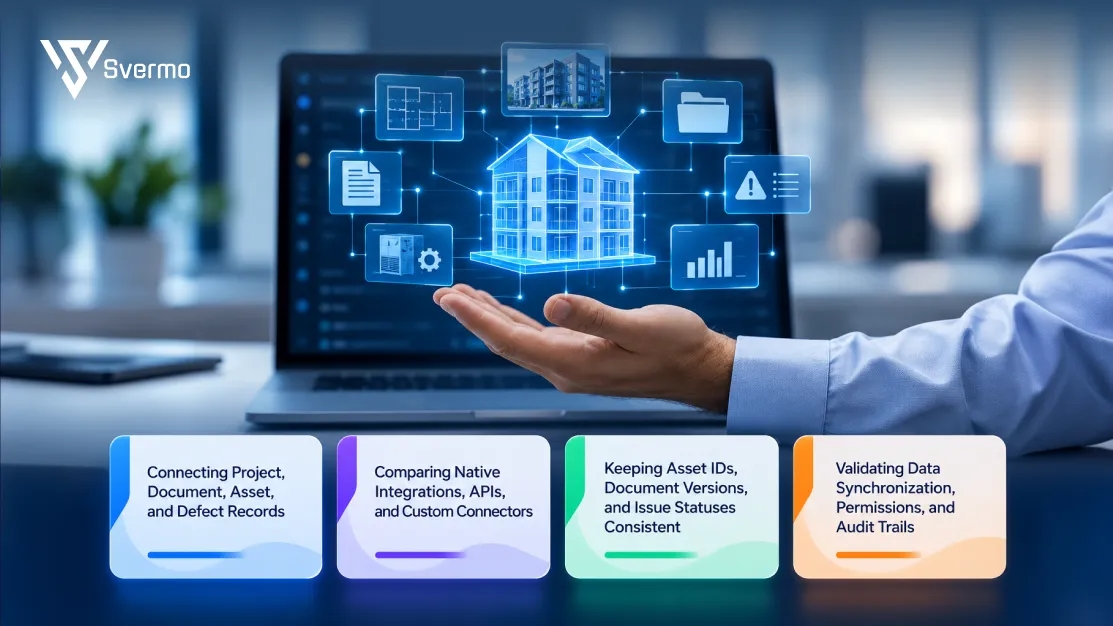
A property handover platform, like an AI real estate operations automation system connects construction system with existing property management systems, transferring closeout documents, asset records, and outstanding defects into operational workflows. As a residential property operational readiness system, it supports project closeout management by matching records across systems, synchronizing updates, and preserving traceability through operational acceptance.
Connecting Project, Document, Asset, and Defect Records
The platform retrieves agreed data from construction tool, matches each record to the correct building, unit, or asset, and transfers it to the relevant record in the property management system. This gives operations teams access to construction handover information without rebuilding asset and defect registers.
But can AI work with our construction records and the property management system the operations team will use, without duplicate data entry? That depends on the available integrations, data mapping, and synchronization rules between the systems.
For example, when an air handling unit is transferred to the facilities team, the platform links its construction asset record with the corresponding maintenance record and carries over the approved manual, warranty details, and commissioning status.
- Asset information: Transfers equipment IDs, installation details, and commissioning status into the maintenance system.
- Handover documents: Links approved manuals, warranty certificates, and test records to the corresponding asset.
- Outstanding defects: Carries over defect locations, contractor assignments, deadlines, and current status so open work remains visible after takeover.
Comparing Native Integrations, APIs, and Custom Connectors
The integration method determines how construction and property management systems exchange information. Native integrations use vendor-supported connections, APIs exchange defined data between applications, and custom connectors map fields or workflows that standard integrations do not cover. The right approach depends on the systems already in use and the records that need to move.
- Native integrations: Suit systems with an existing supported connection for transferring asset details and defect updates.
- APIs: Suit workflows that require specific records or status changes to pass between applications through defined endpoints.
- Custom connectors: Suit projects where systems use different field structures, naming conventions, or workflow rules that require additional mapping.
Keeping Asset IDs, Document Versions, and Issue Statuses Consistent
An integration needs clear mapping rules to prevent duplicate assets, outdated documents, and misleading defect statuses. The platform matches equivalent identifiers, applies document-version rules, and translates status values between systems. Records with conflicting values or no reliable match are flagged for review instead of being silently updated.
- Matching asset IDs: If construction system uses AHU-024 and the maintenance system uses MECH-024, a defined mapping connects both identifiers to the same air handling unit.
- Managing document versions: When an approved maintenance manual is revised, the receiving system identifies the new version while retaining the previous version in the document history.
- Mapping defect statuses: When a contractor marks a defect as “work completed,” the property management system maps it to “awaiting verification” rather than closing it before the repair is checked.
Validating Data Synchronization, Permissions, and Audit Trails
Before go-live, the team tests whether data reaches the correct destination, updates arrive as expected, and access permissions remain appropriate. A reliable AI handover management system also needs a defined process for handling failed transfers, correcting errors, and reconciling records that fall out of sync.
- Detecting failures: The integration flags rejected fields, missing asset IDs, connection errors, and updates that fail to reach the receiving system.
- Recording the error: The system logs the affected record, failure time, and error details so the team can identify the cause.
- Correcting and retrying: The responsible team fixes invalid data or mapping rules, restores the connection if needed, and resends the failed update.
- Checking for duplicates: Before applying a retry, the integration checks whether the receiving system already processed the update, preventing duplicate records.
- Reconciling records: The team compares source and destination data to identify missed changes and confirm that both systems agree.
- Verifying access and history: Testing confirms that contractors can update assigned defects but cannot approve overall handover, while audit trails preserve the history of changes, failures, corrections, and verification.
How Should Developers Pilot and Deploy an AI Handover Platform for Residential Projects?
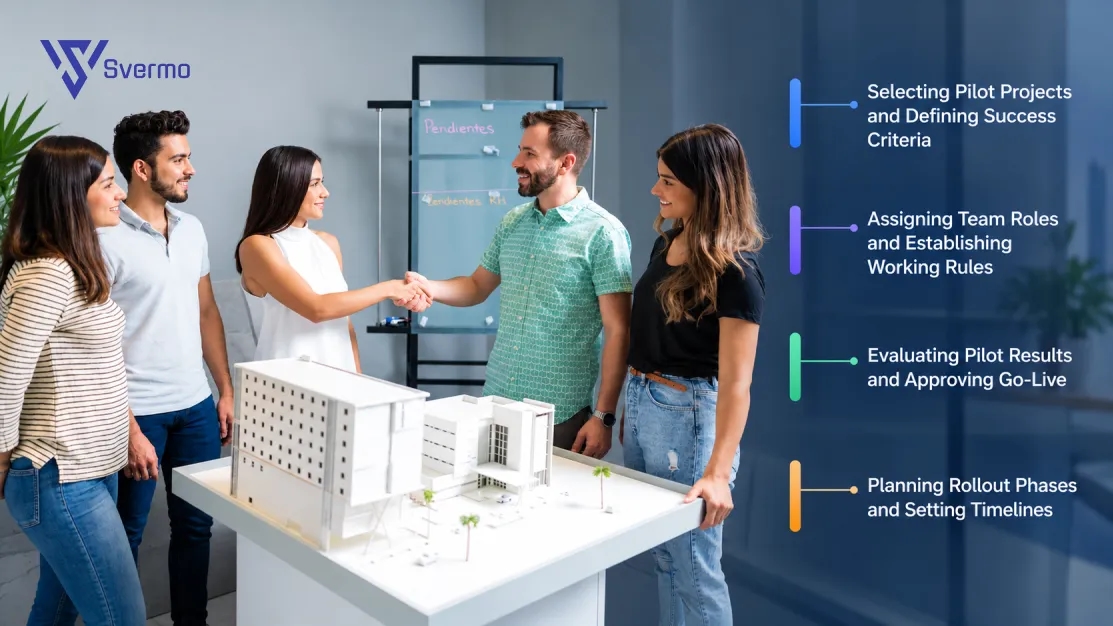
Rolling out an AI handover platform for residential projects starts with a controlled pilot and expands based on measured results. Developers first test the platform on a live residential project, review how teams use it, and address practical issues before introducing it across the portfolio.
Selecting Pilot Projects and Defining Success Criteria
Choose a residential project approaching handover, with active closeout work and participation from both construction and property operations teams. The pilot needs to reflect everyday working conditions, including incomplete tasks, missing evidence, and coordination between contractors.
Before the trial starts, record baseline performance and agree on measurable targets. Focus on three areas:
- Handover duration: Time taken to complete closeout and achieve operational acceptance.
- Administrative effort: Staff hours spent chasing updates, coordinating responsibilities, and preparing handover records.
- Outstanding items: Number of unresolved actions and incomplete requirements at the point of handover.
These baseline figures give the team a consistent way to assess the pilot and decide whether the platform meets the developer's requirements.
Assigning Team Roles and Establishing Working Rules
Before the pilot begins, define how participating teams will use the platform during daily handover activities. Project managers, contractors, and property operations staff need clear responsibilities and a shared understanding of how decisions are made.
Establish rules for task ownership, evidence review, approvals, overdue actions, and disputed requirements. Nominate a project lead to answer questions and coordinate feedback throughout the trial. Provide role-specific training so each participant understands their responsibilities and knows how to complete assigned work.
Evaluating Pilot Results and Approving Go-Live
At the end of the pilot, compare actual results against the baseline and success criteria. Review the figures alongside feedback from the people who used the platform during live closeout activities.
The review should lead to a documented decision:
- Approve expansion: The platform meets the agreed targets, and teams are ready to use it on additional projects.
- Approve with actions: Performance meets the main requirements, but specific issues need resolution before or during expansion.
- Extend the pilot: Results remain inconclusive, or significant problems prevent teams from completing the intended workflows.
Record the decision, outstanding actions, accountable owners, and deadlines. This gives the rollout a clear basis for moving forward.
Planning Rollout Phases and Setting Timelines
Set the rollout schedule according to the number of projects, team availability, training requirements, and support needed at each stage. A phased approach gives teams time to adopt the new process while the developer applies lessons from earlier launches.
Plan four stages:
- Preparation: Confirm project scope, success measures, responsibilities, and training needs.
- Pilot operation: Run the platform through real handover activities and collect performance data.
- Review and refinement: Resolve adoption issues, update working practices, and approve the next stage.
- Portfolio expansion: Introduce the platform to additional projects in planned groups and review progress after each rollout.
Use the pilot findings to set realistic dates for each stage. This approach gives developers a measurable path from an initial trial to portfolio-wide adoption of AI handover management for residential developers, with expansion guided by demonstrated results and team readiness.
How Can Residential Developers Measure the ROI of an AI Property Handover Platform?
Measuring the ROI of an AI property handover platform means comparing baseline handover performance with verified improvements and the total cost of ownership.
Measuring Handover Time, Document Completeness, and Open Items at Occupancy
Track closeout duration, required documents accepted by handover, and unresolved items at occupancy. Compare results against project baselines to measure improvements in handover efficiency and closeout document tracking.
Tracking Administrative Effort and Contractor Response Times
Measure staff hours spent coordinating handover tasks, chasing updates, and preparing records. Track contractor response times and overdue actions, then calculate verified administrative cost savings from reduced effort.
Measuring Warranty Resolution and Early Resident Issues
Track average warranty resolution time, repeat defects, and resident issues during the initial occupancy period. Use these measures to assess warranty tracking after project completion and changes in post-handover costs.
Comparing Total Platform Costs Against Measured Improvements
Include licensing, implementation, training, and ongoing administration in the total cost. Compare verified financial benefits against these costs using a consistent reporting period.
ROI formula:
ROI (%) = ((Verified financial benefits − Total platform costs) ÷ Total platform costs) × 100
Use comparable projects, documented assumptions, and measured savings to calculate the return without overstating the platform's impact.
Which Capabilities Should Developers Compare When Choosing the Best AI Property Handover Platform?
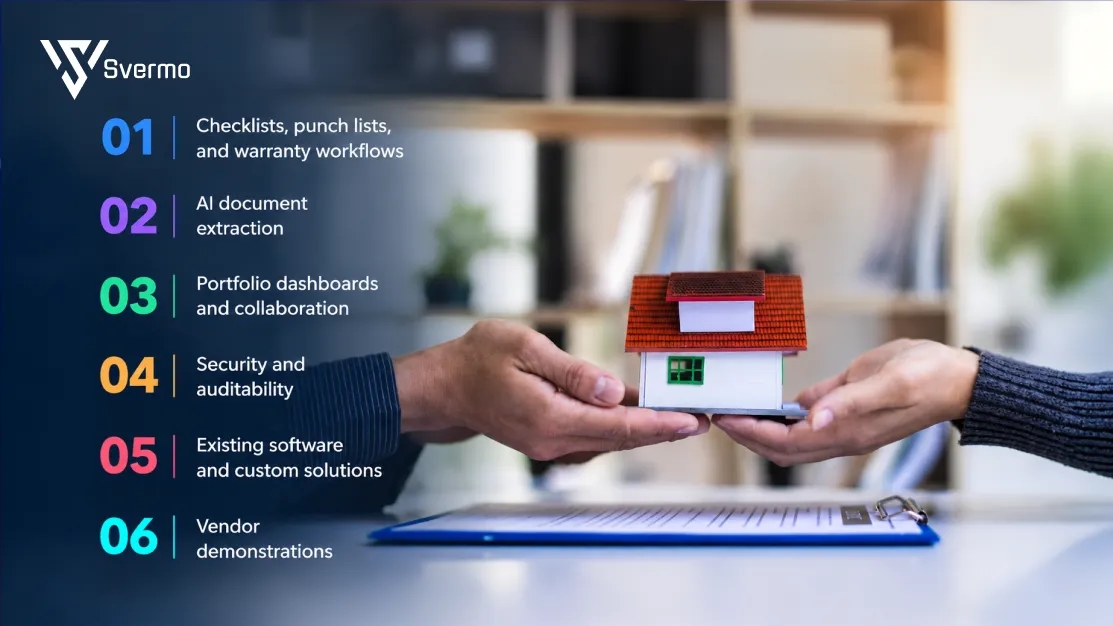
Residential developers should compare AI property handover platforms on workflow coverage, AI document processing, portfolio visibility, security, and total cost. The right choice depends on project requirements, existing processes, and how well each platform supports the transition from construction closeout to property operations.
| Capability | What developers should assess | Benefit to developers |
|---|---|---|
Checklists, punch lists, and warranty workflows | Task ownership, deadlines, evidence, approvals, and resolution tracking | Fewer overdue items and clearer accountability |
AI document extraction | Extraction accuracy, missing-item detection, and human review | Less manual document processing and earlier identification of gaps |
Portfolio dashboards and collaboration | Cross-project readiness, contractor access, mobile updates, and escalation visibility | Earlier risk detection and faster decisions |
Security and auditability | Role-based access, change histories, approval records, and verification controls | Stronger oversight and more reliable handover records |
Existing software and custom solutions | Workflow fit, implementation effort, maintenance, scalability, and total cost | Less duplicated functionality and more predictable ownership costs |
Vendor demonstrations | Performance against realistic documents, defects, approvals, and warranty scenarios | Better-informed selection and fewer implementation surprises |
An important consideration is how handover connects with ongoing property operations. Developers need more than a completed checklist: asset records, warranties, outstanding defects, and operational responsibilities must carry forward into the management phase. When evaluating Svermo, assess how its actual capabilities support this transition and whether they meet your requirements for closeout records, operational visibility, and post-handover follow-up.
Evaluate shortlisted platforms against the same project scenarios and scoring criteria before making a decision.
Ready to hand over the keys without handing over the chaos?
See how connected AI workflows fit into your property operations.
Final Words!
A residential project isn’t truly ready just because construction is finished. The documents need to be in place, defects need clear owners, approvals need to be checked, and property teams need to know what comes next. A good AI property handover platform for residential developers helps bring these pieces together. Otherwise, is the handover really complete, or is the team just inheriting a longer to-do list?
What happens after the keys are handed over matters just as much. Can teams find asset records, track warranty issues, and follow up without chasing updates across different systems? Svermo’s AI property management platform is worth considering when planning the shift from construction to daily operations. The key is finding a solution that fits your team’s actual needs. Want to see how it could fit your workflows? Contact us to discuss your property operations and where AI could help.
 https://www.linkedin.com/in/saanvi-verma-38711a36a
FAQs
An AI property handover platform organizes requirements by building, floor, or phase. Handover checklists show completed items, missing documents, outstanding approvals, and unresolved issues for each phase. Occupancy readiness remains tied to verified evidence and required approvals.
AI handover management organizes project records, tracks deadlines, flags missing information, and records follow-up actions. Handover managers coordinate stakeholders, verify evidence, resolve outstanding issues, and oversee readiness and acceptance decisions.
An AI Property Handover Platform for Residential Developers centralizes closeout information across projects, contractors, consultants, and property managers. Project-level tracking provides visibility into document completeness, outstanding defects, approval status, and operational handover requirements.
Evaluation criteria include closeout document tracking, punch list management, approval tracking, responsibility assignments, and the transfer of records to property operations. Integration capabilities, access controls, audit trails, and measured pilot results provide additional evidence of platform suitability.
A residential property operational readiness system tracks requirements at building and unit level, centralizes closeout documents, assigns punch list items, and records readiness status. Asset registers, manuals, and warranty records carry forward into property management, while outstanding items retain clear ownership and status.
AI certificate of occupancy tracking records commissioning documentation, inspection results, and certificate of occupancy status against project readiness requirements. Missing evidence, incomplete records, and outstanding approvals appear as unresolved items. Final occupancy authorization remains subject to verification and approval by the responsible authorities.
An AI property transition management platform depends on the accuracy and completeness of its source data. It organizes records, identifies missing information, and tracks follow-up actions, but it does not independently verify physical construction quality or grant legal occupancy approval. Project teams remain responsible for evidence verification, issue resolution, and required regulatory approvals.