
AI Receptionist for Property Management: How an AI Voice Agent Answers Leasing, Maintenance and Resident Calls 24/7 (2026 Guide)

Get a summary of this article with your favorite AI





AI Summary
- •An AI receptionist answers inbound calls, works out why the person is calling, captures the details, routes or escalates, and logs the outcome, around the clock.
- •Published figures on unanswered leasing calls are vendor-reported and range widely, so measure your own call logs first.
- •Sort calls by type: automate routine, factual calls; capture and route those needing a decision; keep sensitive calls with people.
- •Keep separate, owned rule sets for property knowledge, leasing, residents, maintenance and escalation.
- •Emergencies follow your own policy, with a human alerted at once. The agent applies your list and doesn't invent one.
An AI receptionist for property management answers the call, works out why the person is calling, captures what your team needs, sends the call where it belongs and records what happened, at 3 p.m. or 3 a.m. That matters because estimates of how many leasing calls go unanswered are high and vary widely. A leasing-software vendor's 10,000-call mystery shop reported a 70% onsite answer rate, which implies roughly 30% of calls went unanswered onsite (that is arithmetic from the reported rate, not a figure the vendor states).
A separate marketing-analytics vendor's analysis of 170,825 multifamily calls reported 60.8% unanswered. Both are vendor-reported, measured differently and published for a reason, so treat them as a range, not a benchmark. Your own phone logs are the only number that counts.
This blog covers the call from first ring to logged outcome: how an AI voice agent works, which calls to hand it, how emergencies and human escalation should work, how to set it up and measure it, and what to check before you buy.
What is an AI receptionist for property management?
It is a voice agent that answers inbound calls for a property management company, understands what the caller wants, collects the details, routes or escalates when needed, and logs the outcome. An AI receptionist for property managers sits where a front-desk person, a voicemail box or a phone tree sits today. It differs from them in what it can do on the call itself.
| Option | What happens on the call | Typical gap |
|---|---|---|
Voicemail | Caller leaves a message; someone calls back later | The caller may already be calling the next community |
Phone tree (IVR) | Caller presses numbers to reach a department | Menus don't handle open-ended questions |
Live answering service | A person answers and takes a message or transfers | Limited property knowledge; cost per call or minute |
AI receptionist | Answers, asks questions, answers common ones, captures details, routes and logs | Needs clear rules, testing and human backup |
This is automated phone answering for property managers: the agent handles the call itself, and people handle what needs a person. You'll see the same idea sold under several names, such as an AI answering service for property management or a property management virtual receptionist. The labels overlap, so compare what each product does on a call, not what it's called.
How is an AI answering service different from a traditional property management answering service?
A traditional property management answering service puts a person on the line, often a remote operator who takes a message or transfers the call. An AI answering service for property managers uses a voice agent that can answer questions, capture structured details and log the outcome. The practical difference shows up in three places:
- Knowledge: a 24/7 answering service for property management usually knows a script; an AI agent can draw on the policies and property details you give it.
- Output: a message slip versus a structured record tied to a call type.
- Scale: an operator handles one call at a time; an AI phone answering service for property management can take many at once, which matters during a storm or a lease-up.
A virtual receptionist for property management can be either human or AI, so ask which. Many teams keep humans for sensitive calls and use AI for volume, which is a sensible split.
How does an AI receptionist work for property management companies?
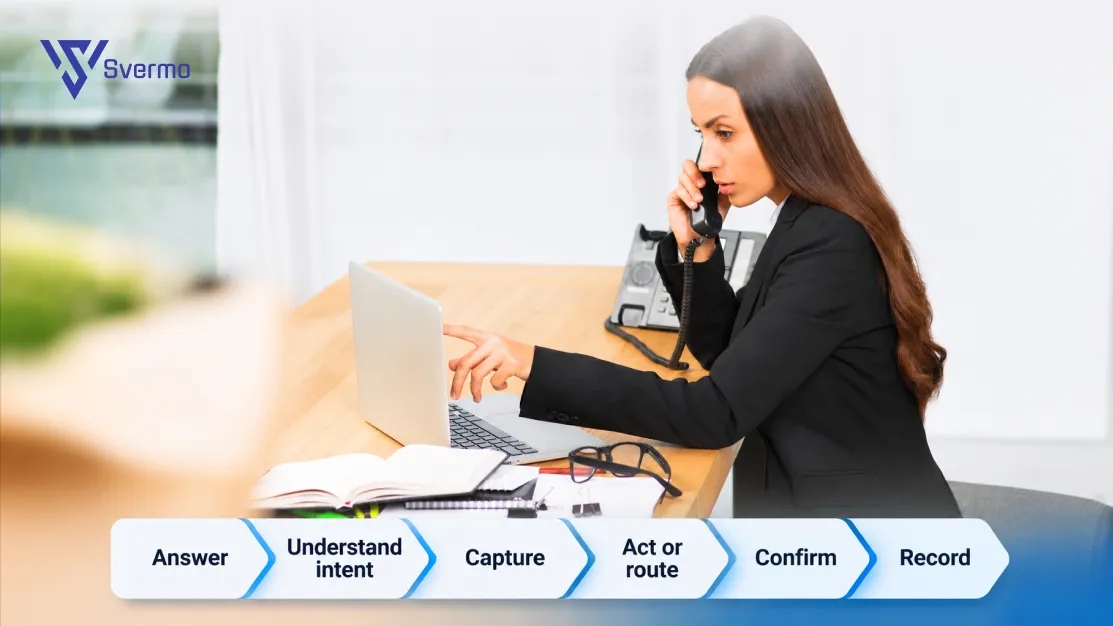
An AI receptionist follows six steps on every call: answer, identify the caller's intent, capture the details, act or route, confirm, and record the outcome. A property management AI receptionist, working as an AI phone agent for property management, runs this the same way for each call, whether it is the first call of the day or the fiftieth during a storm.
- Answer. The agent picks up on the first ring or within a few, greets the caller with the community's name and says it is an automated assistant.
- Understand intent. It works out whether this is a prospect, a resident, a vendor or something else, and what the caller needs.
- Capture. It asks for what your team would ask for: name, unit, callback number, and the details that fit the call type.
- Act or route. It answers what it can from approved information, books or offers what it is allowed to, or hands the call to the right person or queue.
- Confirm. It repeats the key details back so errors are caught on the call.
- Record. It saves the outcome, the details and the next step where your team will see them.
How does the agent know why someone is calling, and how does the outcome get recorded or routed? It determines intent from what the caller says, using the call types you define, and every call type has a defined outcome. A leasing call ends in a captured prospect or a tour request. A maintenance call ends in a logged request or an escalation. A general call ends in an answer or a message. If the agent can't tell, the rule should be to ask one clarifying question, then pass the call to a person. The record is the proof: each call should leave a trace someone can find without listening to the audio.
Two illustrative calls (hypothetical, to show the flow):
| # | Leasing call, Saturday 9 p.m. | Maintenance call, Tuesday 2 a.m. |
|---|---|---|
Caller says | "Do you have any two-bedrooms open next month, and are dogs allowed?" | "Water is coming through my bathroom ceiling." |
Agent identifies | Prospect, availability and pet policy | Resident, possible flooding, possible urgent |
Agent captures | Name, number, move-in date, budget, pet details | Name, unit, where the water is, whether it is spreading |
Agent does | Shares approved pet policy and availability, offers tour times | Runs the danger check, then alerts the on-call person and tells the caller what happens next |
Outcome logged | Prospect record with source and tour request | Urgent request with details and the escalation time |
AI voice agent for property management products differ in how well they do each step, which is why the checklist later in this guide matters.
What can an AI receptionist handle for apartment communities?
Most inbound calls fall into four groups: leasing, resident, maintenance and general. An AI receptionist for apartment management can fully handle the routine ones, capture and route the ones that need judgment, and should pass the sensitive ones to a person quickly.
| Call type | Examples | Handling |
|---|---|---|
Leasing | Availability, pricing, pet policy, tour requests | Answer from approved info, capture prospect details, offer tour times |
Resident, routine | Office hours, amenity rules, how to pay, trash pickup | Answer from approved info |
Resident, account | Balance questions, lease changes, disputes | Capture and route to staff |
Maintenance | Leaks, no heat, broken appliance, lockouts | Capture details, classify, log or escalate |
General | Vendors, deliveries, wrong numbers | Take a message or route |
Sensitive | Complaints, legal threats, safety concerns, discrimination claims | Hand to a human, with a summary |
Call this the call mix, and it is the starting point for AI resident call management as much as for leasing. Before you pick a tool, count your own: pull a month of call logs and sort them into these groups. The mix tells you where an AI receptionist for apartments earns its place and where staff stay in the loop.
Rule of thumb: automate the repeated, factual calls; capture and route the ones that need a decision; never automate the ones where a mistake hurts a resident.
Which property management calls should stay with a human?
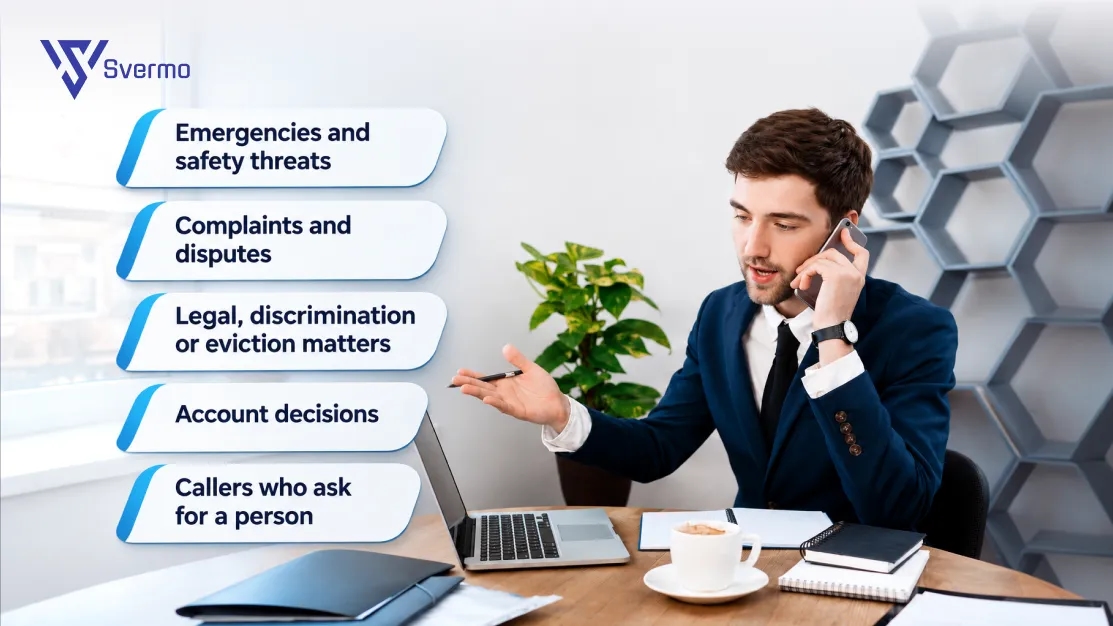
Keep a person on any call where a mistake could hurt a resident, expose the company or damage a relationship. The agent's job on these calls is to capture the basics, stay calm and connect the caller quickly.
- Emergencies and safety threats, where seconds matter and judgment is needed.
- Complaints and disputes, where tone and empathy decide the outcome.
- Legal, discrimination or eviction matters, which belong with staff and counsel.
- Account decisions, such as waivers, payment plans and lease exceptions.
- Callers who ask for a person, at any point in the call.
The test is simple: if you would be unhappy reading the transcript aloud in front of the resident, a human should have taken the call.
Can an AI receptionist answer leasing and maintenance calls 24/7?
Yes. A 24/7 AI receptionist for property management can answer leasing and maintenance calls outside office hours, because the agent doesn't need a shift. That is AI leasing and maintenance call handling on one line, with the same agent covering both. What it can do at night depends on the rules you set, so decide the after-hours behavior for each call type in advance.
Here's what a lot of operators ask: "I manage several apartment communities, and our leasing and resident calls keep coming in after hours. How can an AI receptionist answer those calls 24/7 without making prospects or residents wait for a member of our team?"
Short answer: let the agent answer every call right away, give it the information and permissions for each call type, and set clear handoffs for what only a person can do.
- Leasing calls after hours: the core job of an AI receptionist for apartment leasing is to answer questions, capture the prospect and offer tour times or a callback window.
- Resident calls after hours: answer routine questions, log requests and tell the caller what happens next.
- Maintenance calls after hours: collect the details, separate emergencies from routine requests and alert the on-call person for emergencies.
- Everything else: take a message and flag it for the morning.
That is 24/7 property management call handling in practice, and a 24/7 AI receptionist for property managers is easier to staff than a night shift. Nobody waits on hold, and the team starts the day with a clean list of what happened overnight. For why the first minutes of a leasing inquiry matter, see the speed-to-lead guide.
How much can an AI receptionist reduce missed calls for property managers?
It depends on your current answer rate, your call volume and your hours, so no honest figure applies to everyone. The mechanism is simple: calls that used to go to voicemail or ring out now get answered. The more calls you miss today, the more room there is to improve.
To size your own gap, do this before talking to a vendor:
- Pull call logs for a month from your phone system.
- Count calls received, answered live, sent to voicemail and abandoned, split by hour and day of the week.
- Sort by type where you can, so you can see how many missed calls were leasing.
- Compare weekdays with evenings and weekends. Many teams find the gap there.
Missed calls matter most for paid leads, where a prospect you paid for never reaches a team member. To stop that, answer every call, ask the few qualifying questions you choose, log the lead with its source and next step, and make sure a person owns the follow-up. An answered call that isn't logged and followed up is only a slower missed call.
Vendor-reported numbers can help you set expectations, but ask any vendor how its figures were measured: which calls, which hours and what counts as "answered".
Still Sending After-Hours Calls to Voicemail?
See how a voice agent can answer leasing and maintenance calls and log every outcome.
Can an AI voice agent for property management handle both prospective renters and current residents?
Yes, as long as each group gets its own rules. Prospects and residents call for different reasons and need different information, permissions and escalation paths. One voice can serve both, but one rule set can't.
Where each rule set lives matters, because it decides who can change it and how fast mistakes get fixed:
| Layer | What it holds | Who should own it |
|---|---|---|
Property knowledge | Hours, amenities, policies, fees, pet rules | Property manager |
Leasing rules | What to share, which questions to ask, tour offers | Leasing lead |
Resident rules | What to answer, what to route, what to refuse | Operations or resident services |
Maintenance rules | Details to capture, urgent vs routine, who to alert | Maintenance supervisor |
Escalation rules | When and to whom a call transfers, by hour | COO or regional manager |
Voice and greeting | How the agent introduces itself and speaks | Marketing or operations |
Keep these as separate, named sets that someone owns, not one long script. When a policy changes, the owner updates one set and the change shows up in every call.
Two safeguards apply to both groups. First, the agent should know who it is talking to before it shares account-specific details; for a caller it can't identify, it should stick to general information. Second, the Fair Housing Act covers renting and bars discrimination based on race, color, national origin, religion, sex, familial status and disability, so leasing answers should be the same for every caller. Have counsel review the leasing script.
What should an AI receptionist do when a resident calls about maintenance?
It should identify the issue, check for danger, collect the details a technician needs, give the caller a clear next step and log the request, and it should hand any emergency to a human immediately. An AI receptionist for maintenance calls must be safe first and efficient second.
Here's what makes operators wonder: "I need to know whether an AI receptionist can handle maintenance calls responsibly. What information should it collect from residents, how should it distinguish routine requests from urgent situations, and when should it immediately involve a human?"
Short answer: collect the same few facts every time, run a quick danger check before anything else, and escalate by rule, not by guess.
What to collect
- Caller name, unit and a callback number.
- What is wrong, where in the unit, and since when.
- Whether anyone is in danger or the problem is getting worse.
- Permission to enter, and any pets or access issues.
- The best time to reach the resident.
Routine versus urgent
Your own emergency policy defines the line, along with local codes and counsel. Common examples of urgent issues include fire, a gas smell, flooding, no heat in cold weather and safety threats. Routine requests, such as a dripping faucet or a stuck drawer, can wait for the normal queue. The agent applies your list; it doesn't invent one.
When a human steps in immediately
- Danger to people: the agent should follow your emergency script and alert the on-call person at once. For a suspected gas leak, federal pipeline-safety guidance says to leave the area and call 911 from a safe distance, so a script for that case should say so.
- Caller distress: a caller who is frightened, angry or asks for a person gets a person.
- Low confidence: if the agent can't tell what is wrong after one clarifying question, it escalates.
For how logged requests get ranked as work orders, see the work order prioritization guide. The receptionist's job ends with a clear, complete, correctly flagged request.
How does AI route property management calls to the right team or department?
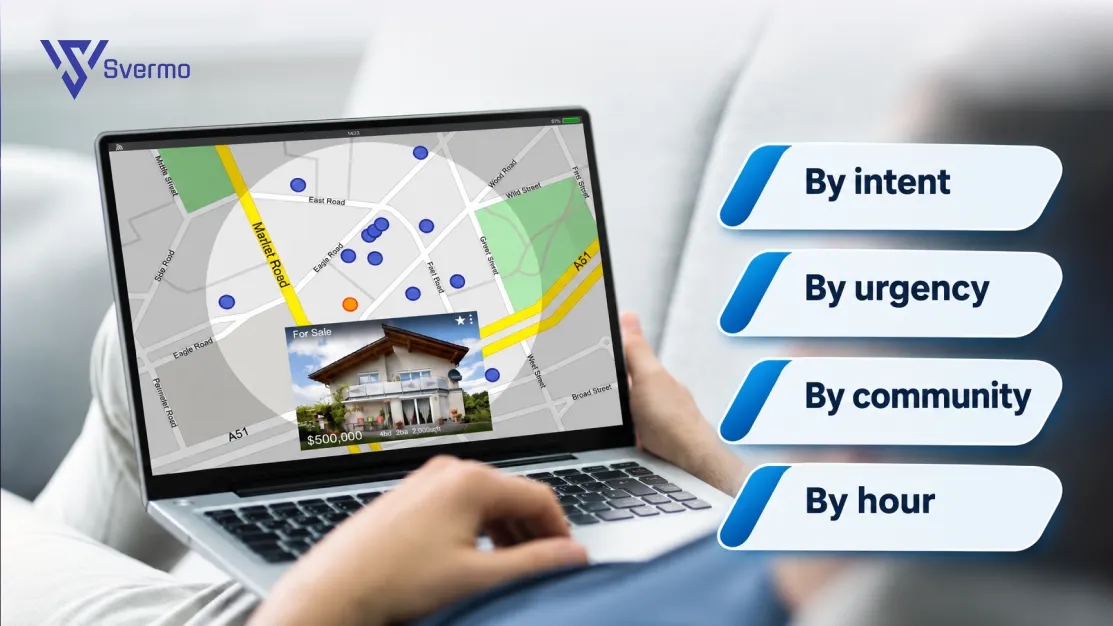
The agent routes on two things: what the call is about and how urgent it is. It matches the intent it identified to a destination you've defined, applies the hour of day, and then either transfers the call live or logs it for follow-up. Property management call automation of this kind works well when destinations and fallbacks are written down.
- By intent: leasing to the leasing team, billing to accounting, maintenance to the maintenance queue, and so on.
- By urgency: emergencies go to the on-call person, routine items go to the queue.
- By community: each property can have its own contacts, hours and rules.
- By hour: business-hours transfers go to a live line; after-hours calls go to on-call or a morning list.
Plan the fallback for each route. If nobody picks up the transfer, the agent should take a message, tell the caller what happens next and flag the miss, so the call never ends in silence.
A good handoff gives the person who picks up everything the caller already said: who they are, why they called, what was captured and what the agent already told them. The caller shouldn't have to start over. That summary, more than the transfer itself, is what saves staff time.
How does an AI receptionist fit with your property management software?
It fits by logging each call's outcome where your team already works, so the phone stops being a separate system. If your property management software, CRM or ticketing tool can receive the data, the agent should write to it. If it can't, the agent should at least send a structured summary a person can paste or act on.
Here's a question that comes up often: "We already have property management software and established workflows, but our phone calls are still handled separately. How can we use an AI receptionist to capture call details, update the right records, and fit into our existing leasing and resident operations?"
Quick answer: decide what each call type should write, and where, before you connect anything.
| Call type | What to record | Where it usually lives |
|---|---|---|
Leasing | Prospect details, source, questions asked, tour request | CRM or leasing system |
Resident request | Resident, unit, request, answer given | Resident record or ticket |
Maintenance | Issue, urgency, access details, escalation | Maintenance or work order system |
General | Message, caller, callback number | Inbox or task list |
For every call, also store the time, the call type, the outcome and a short summary. Keep the audio or transcript linked if you record calls, with access limited to the people who need it.
For what happens after a captured inquiry, from tour to lease, see the leasing lifecycle guide.
How do you set up an AI receptionist for a property management company?
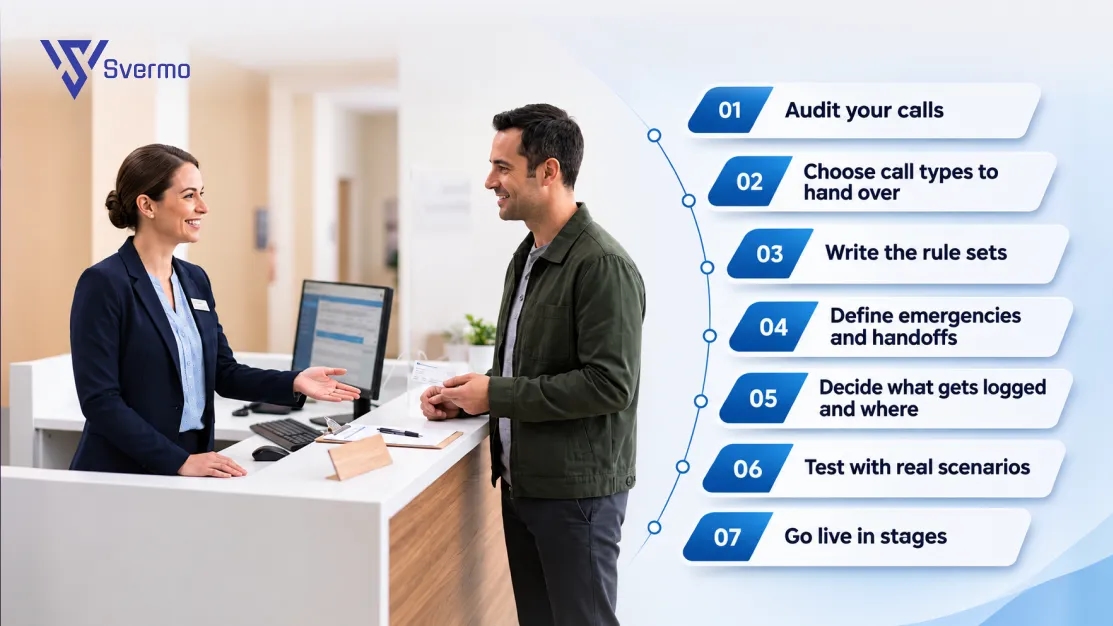
Setup is a series of decisions, not a technical project. Make them in this order, and the tool you choose matters less than the clarity of your answers.
- Audit your calls. Count the call mix by type, hour and community.
- Choose call types to hand over. Start with the routine, factual ones and add more as confidence grows.
- Write the rule sets. Property knowledge, leasing, resident, maintenance and escalation, each with an owner.
- Define emergencies and handoffs. List what counts as urgent, who gets alerted at each hour and what the fallback is.
- Decide what gets logged and where. One outcome record per call type.
- Test with real scenarios. Call it as a prospect, a frustrated resident and a caller with an emergency. Include accents, noise and interruptions.
- Go live in stages. One community or one call type first, with a sample of calls reviewed by a person each week.
Some vendors lay out their own process. For example, Svermo's Voice AI page describes five stages: discovery and workflow assessment, platform integration, custom voice configuration, testing and quality validation, and go-live with ongoing optimization. Ask any vendor for its equivalent, and for who does what at each stage.
What to tell callers. Say at the start that it is an automated assistant. If calls are recorded, say that too. Under federal law, one party's consent is enough to record a call, but state laws differ and some require every party to agree; the Reporters Committee for Freedom of the Press keeps state-by-state recording guides. Have counsel confirm the disclosure for each state where you operate. For rolling this out across a large portfolio, see the implementation guide.
How do you measure whether an AI receptionist is working?
Measure outcomes, not activity: were calls answered, were they handled correctly, and did the right next step happen? Set a baseline from your pre-AI call logs, then review the same measures monthly.
| Measure | What it tells you | How to check |
|---|---|---|
Answered share | How many calls get a live answer | Call logs |
Abandoned calls | Callers who hang up before a result | Call logs |
Outcome logged | Whether each call left a usable record | Audit a sample |
Correct routing | Whether calls reached the right place | Review sampled calls |
Escalations | How often a human was needed, and why | Escalation log |
Follow-up completed | Whether leads and requests got a next step | CRM and ticket data |
Caller experience | How callers felt about the call | Short survey or sampled review |
Two habits make this work. First, listen to a sample every week, especially the escalations and the calls the agent could not resolve. Patterns show up quickly: a question the agent keeps failing, a policy that is out of date, a phrase it keeps mishearing. Second, split everything by call type and community, because averages hide problems. A strong overall answer rate can sit on top of a weak maintenance flow.
A simple weekly review scorecard keeps this honest. Pick 10 to 20 calls, including every escalation, and mark each: right intent, right information, right route, complete record, appropriate tone. Anything marked wrong becomes a rule or knowledge fix.
Vendor dashboards can help, but check what they count. "Calls handled" can mean calls answered, calls resolved or calls merely touched. Ask for the definition in writing.
What should property managers look for when choosing an AI receptionist?
Look for how it performs on your calls, how much control you keep, how it connects to your systems and how clearly the vendor explains its limits. A polished demo tells you little; a pilot on your real call types tells you most of what you need.
| Criterion | Ask the vendor | Warning sign |
|---|---|---|
Call quality | Can I hear recent calls from similar communities? | Only scripted demos |
Intent handling | How does it handle mixed or unclear requests? | "It understands everything" |
Escalation controls | Can I set my own emergency list, contacts and hours? | Fixed rules you can't change |
Human handoff | What does the person receive when a call transfers? | A bare transfer with no summary |
Integration | Which systems does it write to, and how? | Vague "we integrate with everything" |
Call records | What is stored per call, and who can access it? | No logs or audit trail |
Recording and consent | How are disclosures and recording handled by state? | No answer |
Reporting | Can I see answered, routed and escalated calls by community? | Only totals |
Voice and languages | Which languages and voices, and how are they tested? | Unlisted |
Security | How are data, recordings and access protected? | No detail |
Pricing and pilot | How is it priced, and can I run a pilot? | No pilot, long lock-in |
The question that cuts through the most noise: "Can we run it on a week of our real calls and review the results together?"
The Svermo's Voice AI answers leasing and maintenance calls 24/7, identifies the reason for each call, routes by urgency and intent, and works with property management platforms and CRMs.
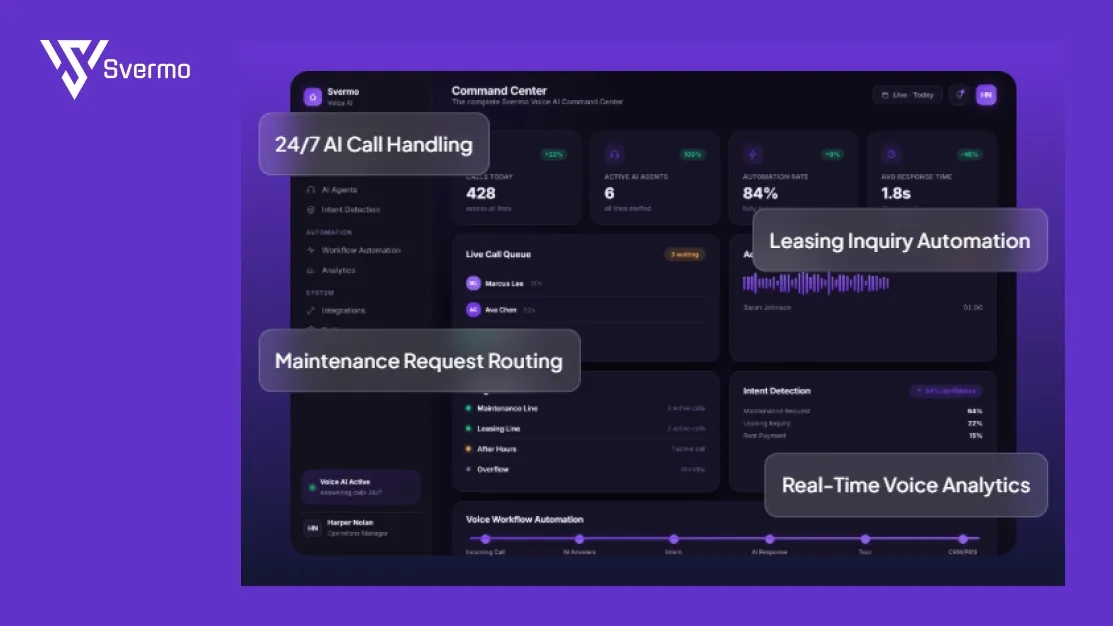
It also lists encrypted conversations, protected call recordings, role-based access and audit logs. It does not publish pricing, supported languages, how emergencies are defined, or the method behind the performance figures it shows. Ask for those in a pilot, as you would with any vendor.
Map Your Call Mix
Bring a month of call logs and work out which calls an AI receptionist should take.
Ready to Hear What Your Phones Are Missing?
Every ring that goes unanswered is a lot like a door left open in a quiet building: nothing happens, until it does. Pull a month of call logs, count the calls you're missing and the ones your team spends hours answering twice, then decide which of them deserve a real voice at 2 a.m.
Need help mapping your own call mix to an AI receptionist? Reach out to the Svermo team.
 https://www.linkedin.com/in/saanvi-verma-38711a36a
FAQs
A virtual receptionist is usually a remote human answering for you. An AI receptionist is software answering with a voice agent. Some services combine the two.
They should. Tell them at the start of the call, and give them an easy way to reach a person.
No. It answers, captures and routes. People still tour, decide, repair and handle sensitive situations. Its job is to make sure staff get complete information and no call goes unanswered.
It should ask one clarifying question, then offer a person or take a message. Test that behavior before launch.
It can detect and escalate them by your rules, alerting the on-call person immediately. Define your emergency list and contacts before go-live, and test them.
It varies by vendor and by how clear your rules are. Ask for a timeline in writing and for a pilot on one community first.